Adding image metadata
After uploading your images, J-AST requires your help with associating the correct metadata to your images.
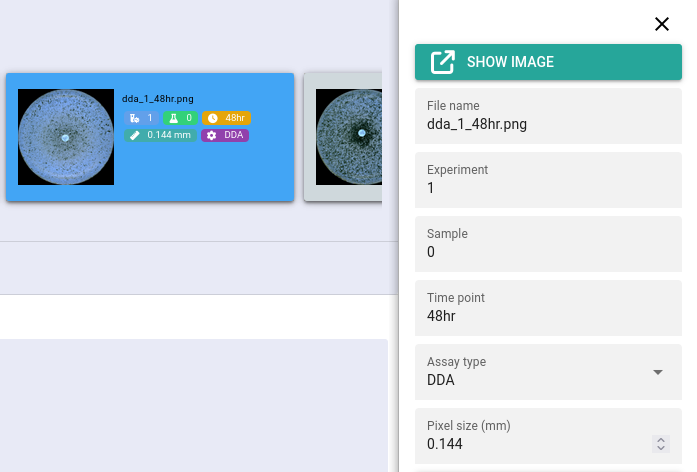
The supported standard metadata fields are:
- File name
The original file name. Will be automatically filled out by the uploader. Feel free to change it if needed, as J-AST internally remembers the original upload file name.
- Experiment ⭐
The experiment that this image is associated with, for example
e1- Sample ⭐
The sample this image is associated with, for example
s1- Time point ⭐
The time point, for example
24hr- Assay type ⭐
The assay type of this image. Should be either DDA or E-Test.
- Pixel size (mm)
The physical width and height of a pixel in millimeters. Defaults to
0.144[mm].
Metadata fields marked with a ⭐ are essential and images should be unique according to their experiment, sample, and time point.
Automated extraction
J-AST provides operations that will fill essential metadata fields based on information contained within the file name.
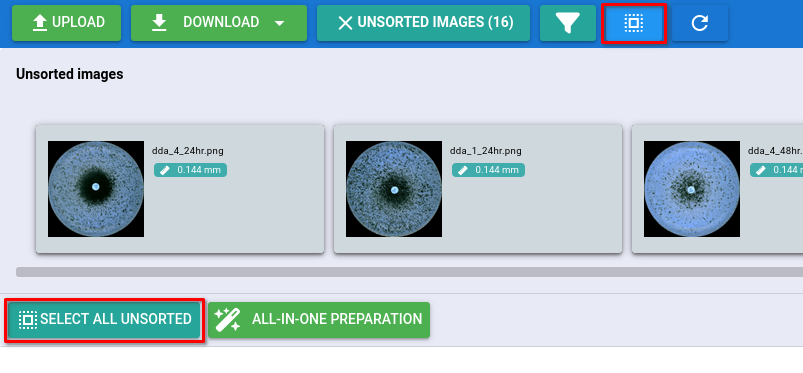
Select the images where metadata should be filled out by clicking the button (if available), the button, or by manually selecting them by holding the Shift key and clicking the images.
Navigate to
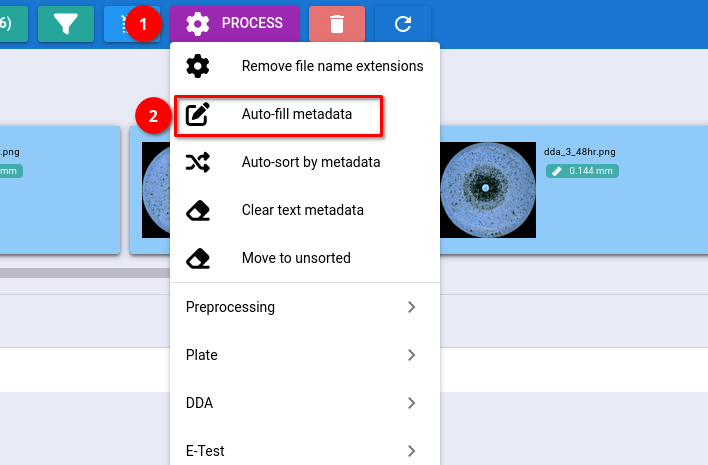
Configure how the algorithm extracts metadata (see below) and click .
The operation can be easily adapted to a variety of file naming structures.
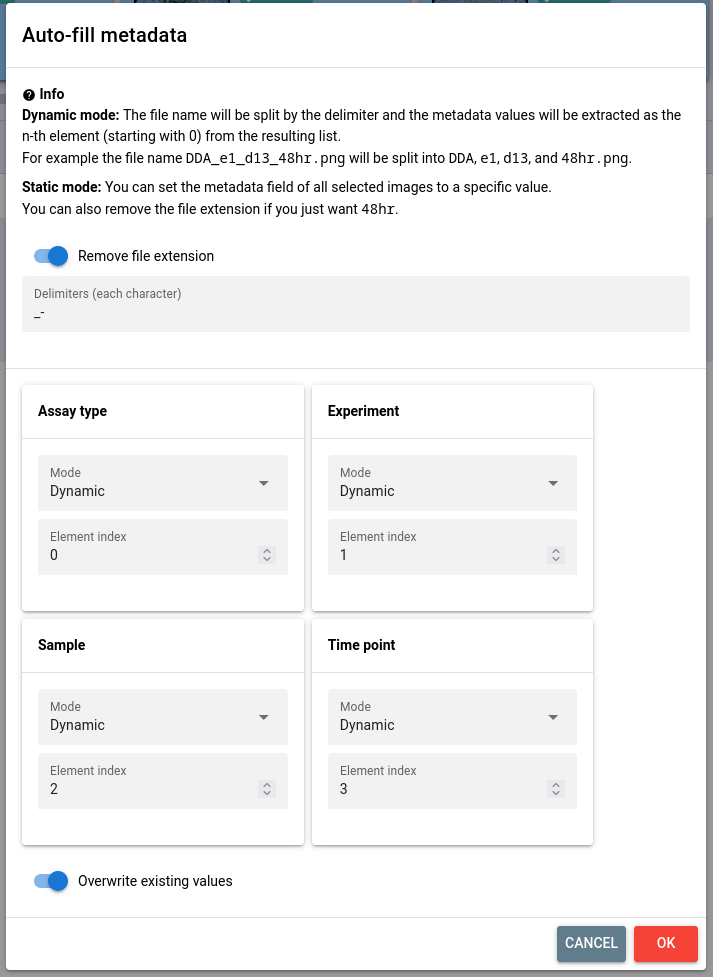
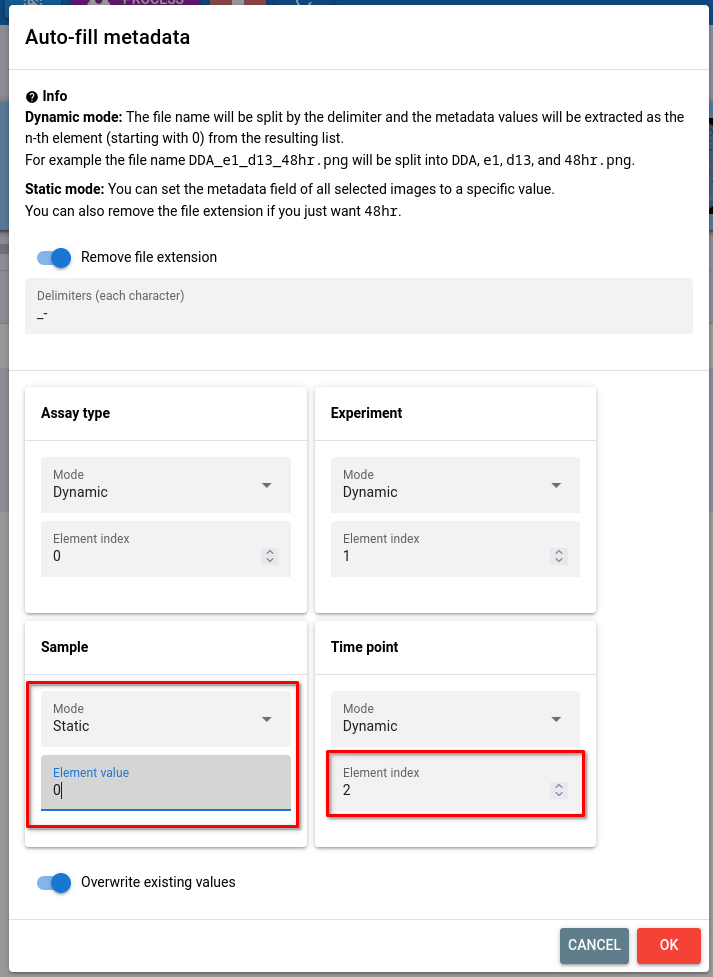
The operation works by first taking the file name, removing the extension, and splitting it into components according to the field, which defaults to _-. Then you can instruct which metadata field is filled out by which component with the option of choosing a static value.
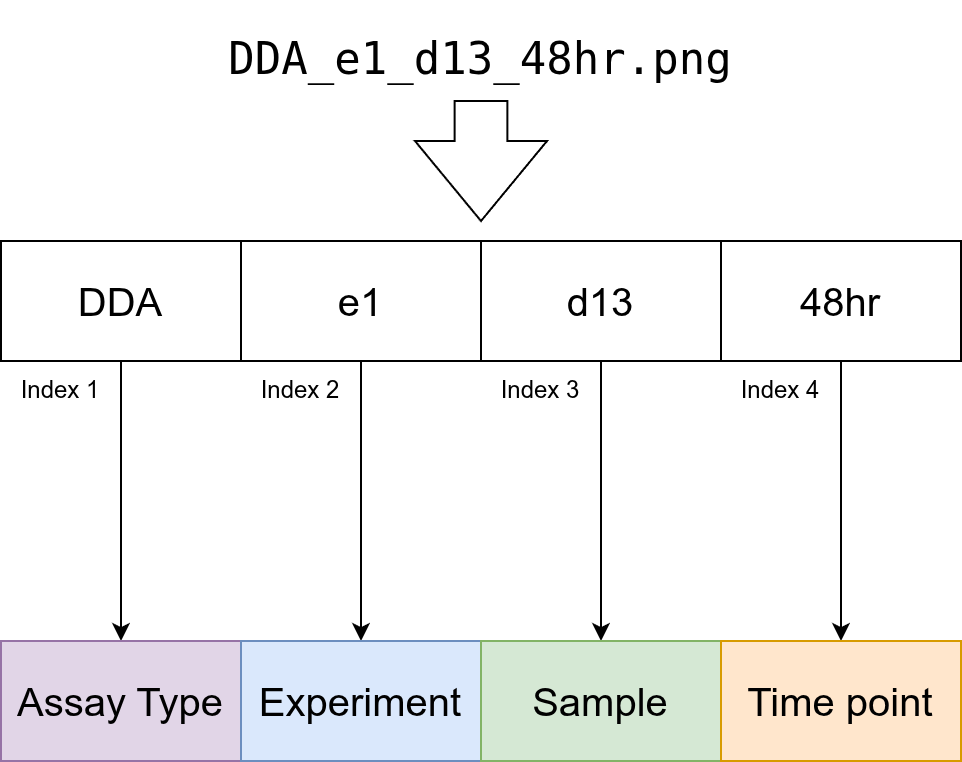
In its default configuration, the assay type is assigned from the first component
Example 1
The default configuration expects _- as delimiters and selects assay type, experiment, sample, and time point metadata in the given order.
Example 2
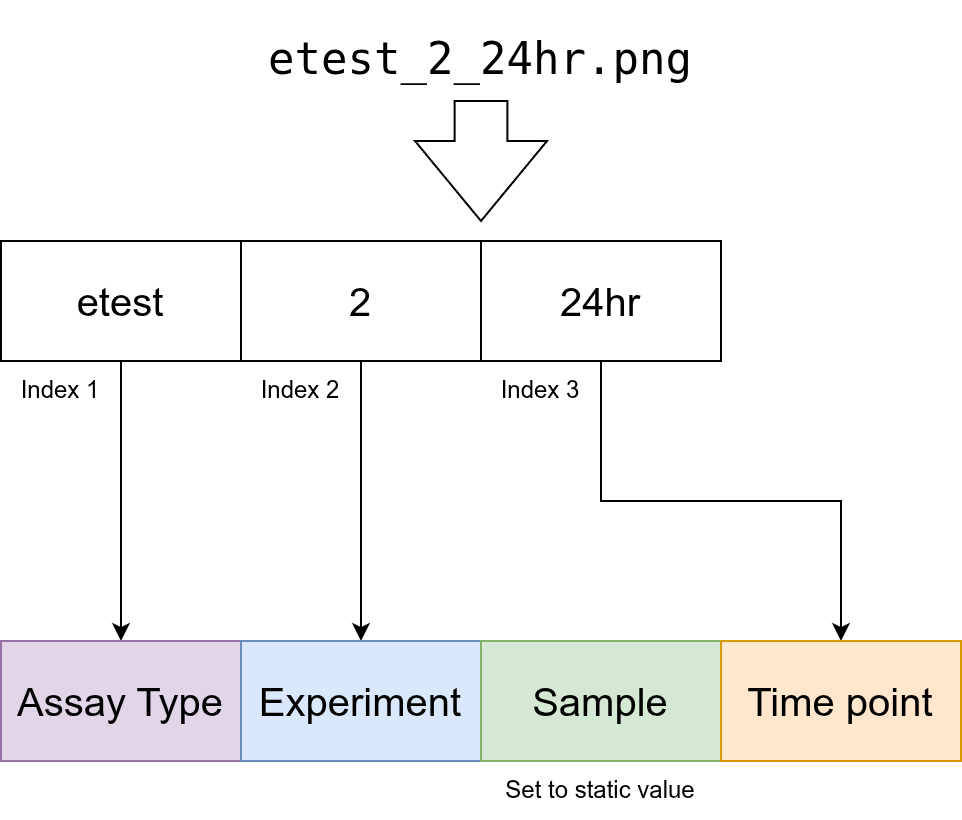
If your files order metadata differently or are missing metadata, you will need to configure the operation. For example if files are named as following:
, e.g. etest_2_24hr.png, the indices shift and the sample needs to be set to a static value.
Manual editing
You can at any point manually edit the metadata of an image by selecting it and changing the values on the right-hand side. Changes are automatically saved.