Uploading files
After creating the project, you can upload your image files. We currently support all standard image files supported by Java, including PNG and JPEG. We recommend to use PNG due to the lossless compression.
To open the uploader, click the button located on the left-hand side in the toolbar. This will open a new panel where you can add files to upload through clicking the button.
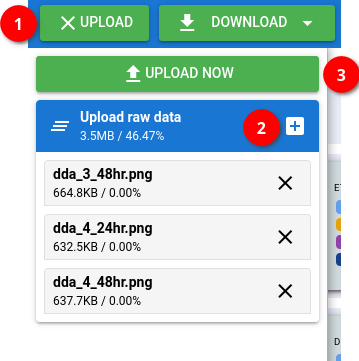
Finally, click the button to start uploading the data into J-AST. After uploading your data, you can close the upload panel by clicking the button again.
02 December 2025