Finding the DDA disk
For our analysis algorithms to work DDAs need to be annotated with the disk region. J-AST provides automated and interactive methods to achieve this task.
Automated disk detection
We provide a selection DDA disk detection algorithms that each was designed to use different aspects of the image to detect the disk. To find the operations, select the image(s) and navigate to .
- Auto-detect DDA disk (v1)
Finds the most circular bright object within a given size range.
- Auto-detect DDA disk (v2)
Detects the disk by finding low-variance regions.
- Auto-detect DDA disk (v3)
Combines principles of v1 and v2.
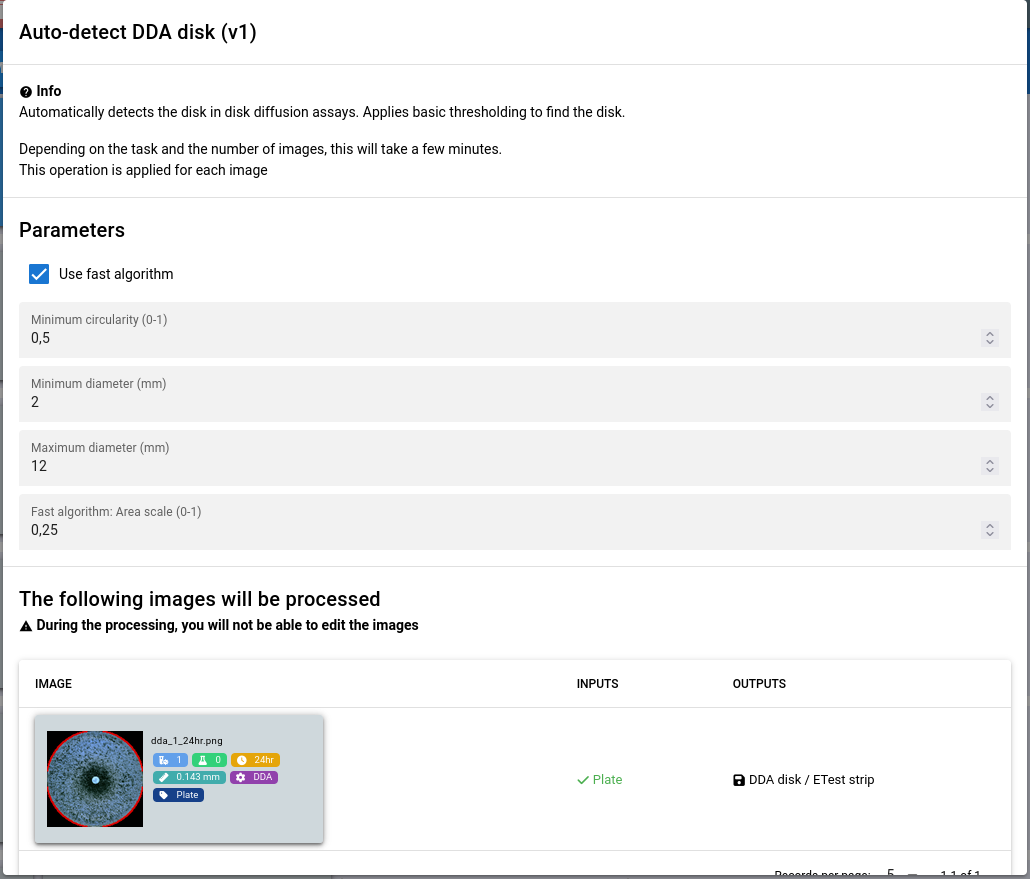
Auto-detect DDA disk (v1)
The algorithm can be configured using the following parameters:
- Use fast algorithm
Assumes that the disk is located near the center of the image and applies an optimization based on that.
- Minimum circularity (0-1)
The minimum circularity of the disk
- Minimum diameter (mm)
The minimum disk diameter. Recommended to go below the expected range to account for thresholding artifacts.
- Maximum diameter (mm)
The maximum disk diameter. Recommended to go above the expected range to account for thresholding artifacts.
- Fast algorithm: Area scale (0-1)
Determines the area surrounding the image center where the disk is expected. For example 0.25 will assume a rectangular area with the size
0.25 * [Image Width] x 0.25 * [Image height]
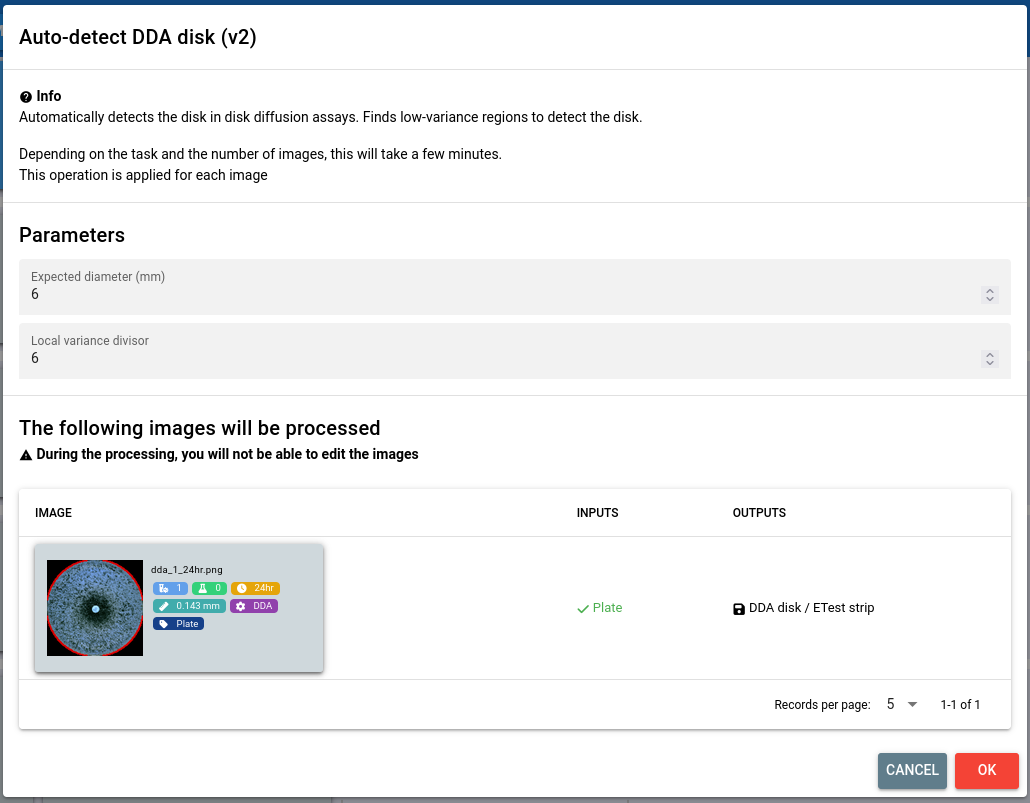
Auto-detect DDA disk (v2)
The algorithm can be configured using the following parameters:
- Expected diameter (mm)
The expected disk diameter. The algorithm will return from a set of candidates the one that has the closest diameter to the expected value.
- Local variance divisor
Sets the size of the local variance filter, which is calculated as
[Expected size] / [Local variance divisor]. Higher values make the operator more sensitive to colonies, while lower values may incorporate writing on the disk into the calculations.
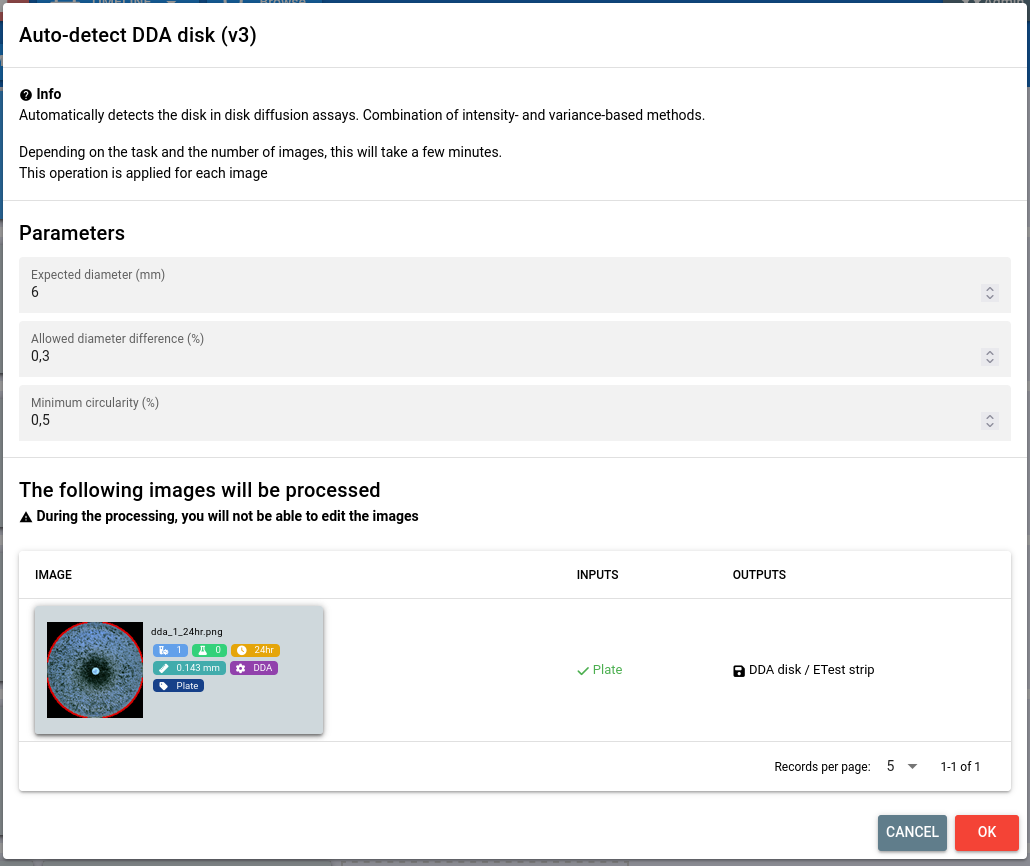
Auto-detect DDA disk (v3)
The algorithm can be configured using the following parameters:
- Expected diameter (mm)
The expected disk diameter.
- Allowed diameter difference (%)
The allowed relative difference from the expected diameter.
- Minimum circularity (0-1)
The minimum circularity of the disk
Manual disk detection
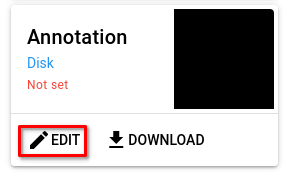
If the algorithms do not produce the expected results or if you prefer to do a manual annotation, you can use our interactive tool. To open it, select the image and click the Edit button for the disk annotation on the right-hand side.
To lean more about the interactive editor, follow our guide.