Finding the E-Test strip
For our analysis algorithms to work E-Tests need to be annotated with the strip region. J-AST provides automated and interactive methods to achieve this task.
Automated E-Test strip detection
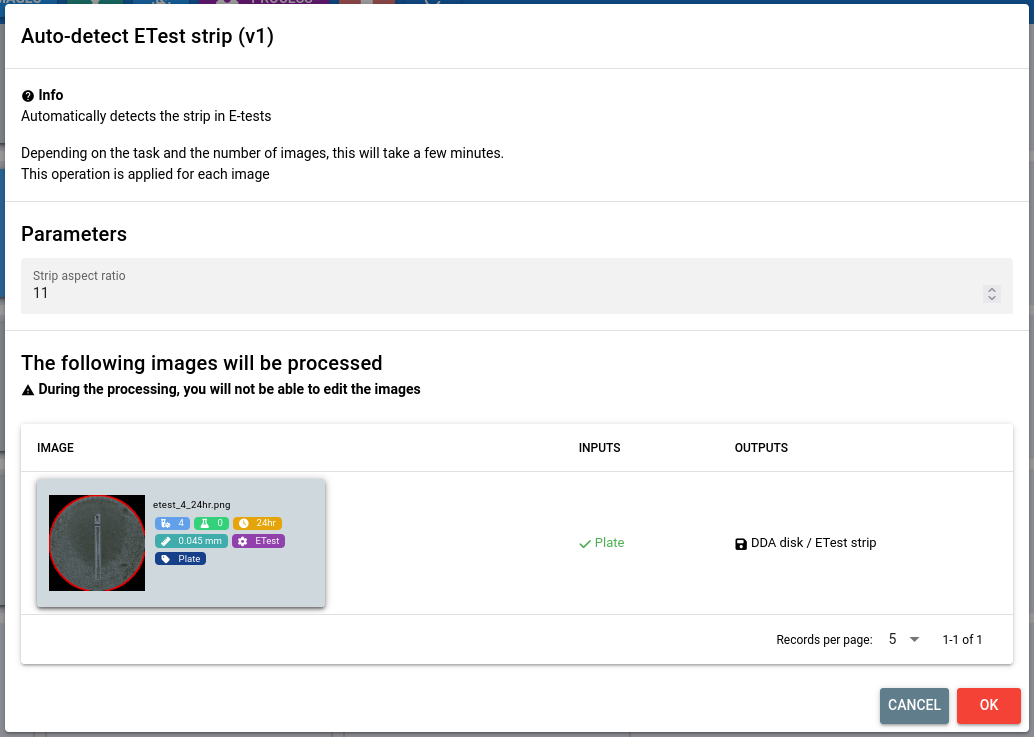
You can find the E-Test strip detection algorithm by first selecting the image(s) and then navigating to . The algorithm has one parameter:
- Strip aspect ratio
The expected aspect ratio of the strip calculated as
[MAJOR_SIDE_LENGTH] / [MINOR_SIDE_LENGTH]
Supported E-Test types
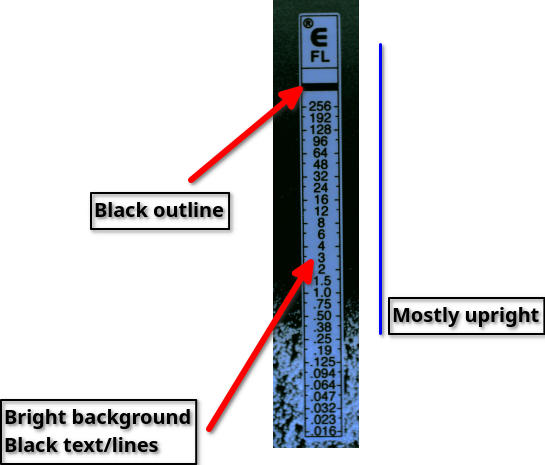
Due to the variety in E-Test strip designs, this algorithm is limited to handle only one specific type of E-Tests:
Mostly upright; up to 40° tilting will likely work
Bright strip with black text
Black line surrounding the strip
Manual E-Test strip detection
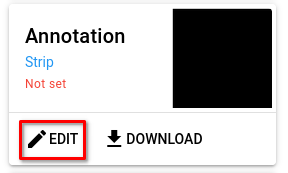
If the algorithms do not produce the expected results or if you prefer to do a manual annotation, you can use our interactive tool. To open it, select the image and click the Edit button for the strip annotation on the right-hand side.
To lean more about the interactive editor, follow our guide.